
Tool
Polycount and Texture Budget Calculator for Game Platforms
Official triangle and texture limits for Roblox, VRChat and Unity colliders, how to compare an AI mesh against them, and where no official figure exists.
Reduction needed
-
- Budget
- 20,000
- Fits as it is
- -
- Decimate ratio
- -
- Texture set
- 21.3 MB
- Against texture budget
- No budget set
Texture memory is an uncompressed upper bound. Real memory depends on the compression your platform uses. A reduction figure says how far to go, not whether the result will look right.
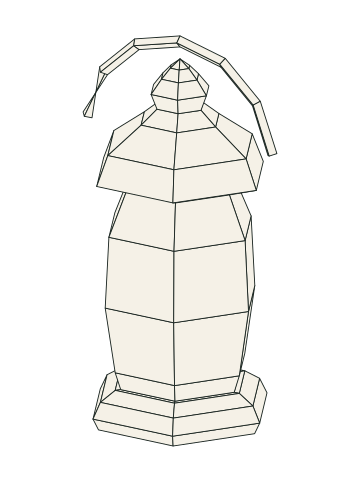
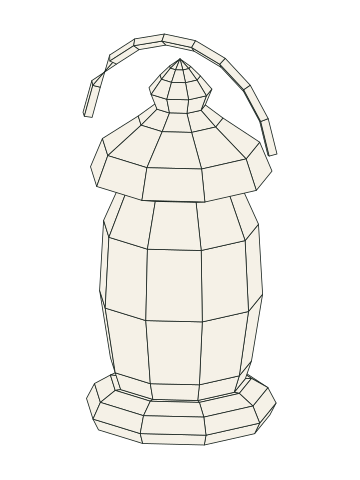
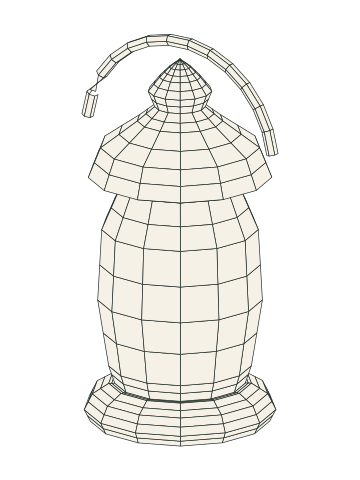
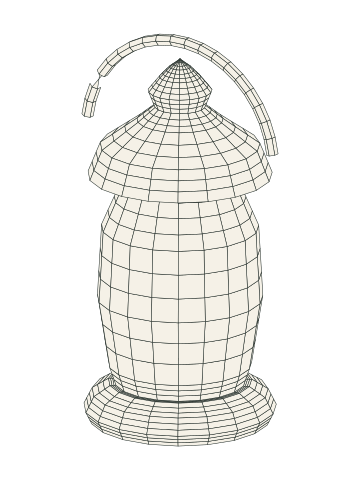
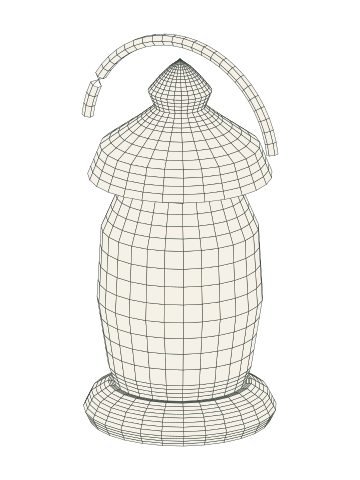
- Triangles
- 1,111
- Removed from the densest
- 74%
Watch the curves. A silhouette goes first as the budget drops, long before the flat areas suffer.
Only a few platforms publish hard numbers. Roblox limits a single mesh to 20,000 triangles, VRChat ranks avatars by triangle count and texture memory, and Unity caps convex mesh colliders at 255 triangles. Godot, Unity and Unreal publish no recommended triangle or texture budget per asset that we could find, so for those you must enter your own budget. This page sets out the figures with sources and the arithmetic for checking an AI mesh against them. Use the calculator on this page; for Godot, Unity render meshes and Unreal it asks for your budget.
What it helps you decide
Whether a generated mesh fits a platform’s published limit as it is, how much reduction you need, and how much texture memory a set of maps costs before compression.
Official figures (all accessed 2026-11-08)
| Platform | Figure | Source |
|---|---|---|
| Roblox | “Individual meshes can not exceed 20,000 triangles.” A vertex cannot be influenced by more than 4 bones. | create.roblox.com/docs/art/modeling/specifications |
| Roblox | Textures up to 4096 x 4096 pixels; UV map maximum 1024 x 1024 pixel spaces for texture maps | create.roblox.com/docs/art/modeling/texture-specifications |
| VRChat PC avatars (page updated Oct 21, 2026) | Triangles: Excellent 32,000; Good, Medium and Poor each 70,000. Texture memory: 40 / 75 / 110 / 150 MB | creators.vrchat.com avatar performance ranking |
| VRChat mobile avatars (same page) | Triangles: 7,500 / 10,000 / 15,000 / 20,000. Texture memory: 10 / 18 / 25 / 40 MB | same |
| Unity | Convex mesh colliders limited to 255 triangles | docs.unity.com Mesh Collider, Unity 6.0 manual |
| Meshy auto-rig API | Face limit 380,000 triangles (a tool limit, not a platform budget) | docs.meshy.ai/api/rigging.md |
VRChat’s table lists ranks from Excellent to Poor, with Very Poor above Poor and no number given. The VRChat figures apply to whole avatars as ranked on that page; read how the page defines the measurement before applying them to a single prop.
No official figure
Godot, Unity (for general render meshes), Unreal and Sketchfab: we found no official recommended per-asset triangle or texture figure. Unreal’s Nanite page publishes no per-mesh triangle limit and tells you to measure on your target hardware. Fab and Epic listing requirements could not be read (certificate error). The tool must therefore ask you for a budget when you pick one of these targets; we do not supply a default.
Calculation
- Triangle fit. Triangulate first, then compare. Fit if tris <= budget. Count triangles, not quads: a quad is two.
- Reduction needed. ratio = budget / current triangles. Reduction percent = (1 - ratio) x 100. If you use Blender’s Decimate modifier in Collapse mode, the manual defines Ratio 1.0 as unchanged and 0.0 as removing all faces; with Triangulate off, untouched quads and n-gons can leave the final count higher than expected.
- Texture memory, uncompressed upper bound. width x height x bytes per pixel. For an 8-bit RGBA texture the format is 4 bytes per pixel. A full mip chain adds about one third (a geometric series), so multiply by 4/3. Real memory depends on the compression the platform uses, which differs by platform and which this tool should take as an input, not guess.
- Texture set total. Sum all maps (albedo, normal, roughness and so on) and compare with a memory budget. VRChat gives one in megabytes; for other platforms the reader supplies it.
Worked example
The mesh size is an assumption, chosen to show the arithmetic; the budgets are the sourced figures above.
- Assume a generated prop of 300,000 triangles.
- Roblox target, 20,000: ratio = 20,000 / 300,000 = 0.0667; reduction about 93.3%.
- VRChat mobile Excellent, 7,500, if it were the only mesh on an avatar: ratio 0.025; reduction 97.5%.
- Texture: one 4096 x 4096 RGBA8 map is 4096 x 4096 x 4 = 67,108,864 bytes = 64 MiB, and about 85.3 MiB with mips (x 4/3). That is far over VRChat’s 40 MB PC Excellent figure, but this is uncompressed arithmetic; VRChat’s own measurement and compression decide the real number, so check on its page and in your build. On Roblox, a 4096 x 4096 texture is the maximum allowed, not a recommendation.
The reduction figures say how aggressive retopology or decimation must be; they do not say whether the result will look acceptable. See retopology for AI meshes and LODs.
Limits
The tool cannot tell you a good budget for an engine with no official one. Platform limits change; VRChat’s page is dated October 21, 2026, and Roblox pages show no date. Roblox also sets lower budgets for avatar items, 4k triangles for rigid and layered accessories and 10,742 in total for a character body; those are on our Roblox page and are not part of this calculator. Triangle count is not a complete measure: Unity’s 255-triangle collider limit is a physics rule (see collision meshes), and Nanite changes the question (see do you need retopology for Nanite). For Roblox specifics, see AI 3D models for Roblox. More cleanup topics are under cleanup.
See also the AI 3D planning tools hub.